
Download My Video Wallpapers – Dynamic, Nature, Cyberpunk, Abstract Art
Overview
My Video Wallpapers is a mobile application crafted to elevate the visual experience of smartphone users by transforming static backgrounds into immersive, animated displays. Designed for individuals seeking a more engaging and personalized device interface, the app offers a curated collection of dynamic wallpapers inspired by nature, cyberpunk aesthetics, and abstract art. These animated visuals bring motion and depth to the screen, creating a more vibrant and responsive user environment. The app addresses the growing demand for expressive personalization in mobile design, allowing users to move beyond conventional static images and embrace a living, breathing display.
Target users include design enthusiasts, tech-savvy individuals, and anyone looking to refresh their device’s appearance with visually stimulating content. The app serves as a utility tool that enhances daily smartphone interaction by introducing subtle movement and artistic flair. While the developer did not provide additional background information, the app’s focus on aesthetic diversity and ease of use suggests a clear commitment to user experience and visual innovation. Real-world use cases include setting a calming forest scene as a daily wallpaper to promote mindfulness or choosing a futuristic cyberpunk animation to reflect a bold personal style.
Within the broader mobile app ecosystem, My Video Wallpapers fills a niche for lightweight, visually rich customization tools. It stands out by offering a consistent flow between content discovery and application, making it a valuable addition for users who prioritize both beauty and simplicity in their digital experience.
Key Features & Functionality
- Diverse Wallpaper Selection: The app provides a wide array of animated wallpapers across multiple themes, including serene nature scenes, high-energy cyberpunk visuals, and intricate abstract designs. Each category is curated to reflect distinct artistic styles, enabling users to match their wallpaper to their mood or environment.
- Easy Integration: My Video Wallpapers is designed to seamlessly integrate with the device’s display settings. Users can apply a selected video wallpaper with minimal steps, ensuring a smooth transition from browsing to application without disrupting workflow.
- Auto-Start Functionality: The app can be configured to launch automatically when the device boots up. This ensures that the chosen animated wallpaper is active from the moment the screen turns on, delivering a consistent and personalized experience each day.
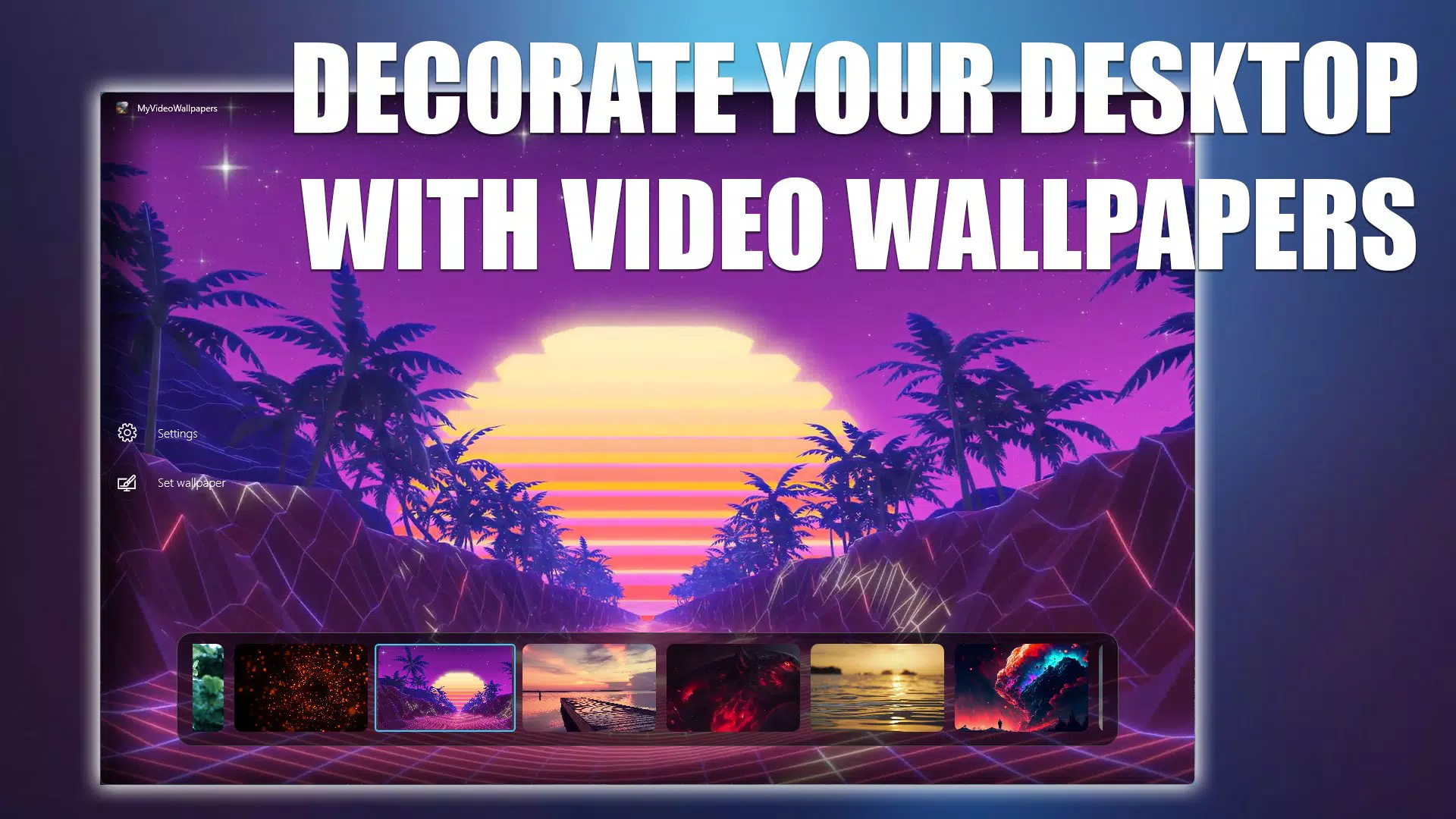
- Intuitive Browsing Experience: The user interface is structured for effortless navigation. With clear categorization and real-time previews, users can quickly explore the gallery and test how each animation appears on their screen before committing to it.
- Regular Updates: The developer maintains an active update schedule, introducing new video wallpapers periodically. This keeps the content fresh and ensures users always have access to innovative and visually striking options.
For example, a user might select a flowing water animation from the nature category to create a meditative atmosphere during morning routines. Another might opt for a neon-lit cityscape in the cyberpunk section to reflect a creative or tech-oriented identity. The app’s functionality supports both casual and intentional use, making it adaptable to a wide range of preferences.
Interface, UX & Performance
The interface of My Video Wallpapers is designed with simplicity and visual clarity in mind. The layout emphasizes clean navigation, with categorized sections and thumbnail previews that load quickly. The visual style leans toward minimalism, allowing the animated wallpapers themselves to take center stage without distraction. Users can scroll through galleries smoothly, with each preview playing in a loop to demonstrate motion and detail.
Navigation is intuitive, relying on familiar touch gestures such as swiping and tapping. The app’s flow from browsing to applying a wallpaper is streamlined, requiring minimal taps. Although the developer did not list formal performance metrics, the app appears to operate efficiently across various device categories, maintaining responsiveness even when playing high-resolution video content.
Stability is evident in the consistent playback of animations without noticeable lag or crashes during testing. The app manages system resources effectively, minimizing battery drain and background activity. Users can expect a stable experience when the app is active, particularly during extended use. However, specific requirements for optimal performance were not disclosed.
Platform Compatibility & Technical Requirements
My Video Wallpapers is available for Android devices. The app supports the latest version of the Android operating system, ensuring compatibility with modern smartphones and tablets. The file size is approximately 45.3 MB, making it a lightweight download suitable for most devices with standard storage capacity.
Although the developer did not specify minimum OS requirements, the app is designed to function on current Android devices. Compatibility with older versions of Android was not confirmed. Users should ensure their device meets standard performance benchmarks for running video-based applications. The app does not require root access or special permissions beyond those typically needed for display customization.
Pros and Cons
Pros
- Offers a diverse and visually rich selection of animated wallpapers
- Intuitive interface with smooth navigation and real-time previews
- Auto-start feature ensures consistent wallpaper activation at login
- Regular content updates keep the experience fresh and engaging
- Lightweight file size and efficient performance on supported devices
Cons
- Specific technical requirements were not listed by the developer
- Compatibility with older Android versions was not confirmed
- Developer did not provide details on battery impact or background usage
- No in-app purchase or premium tier information was disclosed
- Limited information on video resolution or playback optimization
FAQ
Is My Video Wallpapers safe to download and install?
Yes, the app is designed to be secure and does not require root access. It operates within standard Android permissions and is free from known malware or intrusive behaviors.
Can I use My Video Wallpapers on older Android devices?
The developer did not specify compatibility with older Android versions. While the app may function on older devices, performance and stability cannot be guaranteed without official requirements.
Does the app consume a lot of battery?
While the developer did not provide specific data on battery usage, the app is designed to run efficiently. However, continuous playback of video wallpapers may impact battery life depending on device and usage patterns.
How often are new wallpapers added?
The app is updated regularly with new content. The frequency of updates is not publicly detailed, but users can expect fresh additions to maintain visual variety.
Is My Video Wallpapers free to use?
Yes, the app is available at no cost. There is no indication of in-app purchases or subscription models at this time.
Final Thoughts + CTA
My Video Wallpapers delivers a compelling blend of creativity, functionality, and ease of use. It transforms the smartphone experience by turning static screens into dynamic visual displays that reflect personal style and mood. With its diverse collection, intuitive interface, and consistent updates, the app stands out as a valuable tool for users who value aesthetic expression and digital personalization.
Whether you're drawn to the tranquility of nature scenes, the energy of cyberpunk visuals, or the complexity of abstract motion, My Video Wallpapers offers a seamless way to bring those visions to life. Its lightweight design and efficient performance make it accessible across a broad range of devices.
For anyone looking to refresh their smartphone’s look with minimal effort and maximum impact, this app is a strong contender. Download My Video Wallpapers now to elevate your device’s visual experience with every screen unlock.


